An iPad can be an excellent screen for a doctor presentation. That does not mean every app advertised as 'e-detailing software' will run on it.
Some pharma detailing products are Android-only. Others are native iPad applications, and some work through the browser.
If your company already owns iPads—or wants to equip a new field team—check the software delivery model before paying for licences or devices.
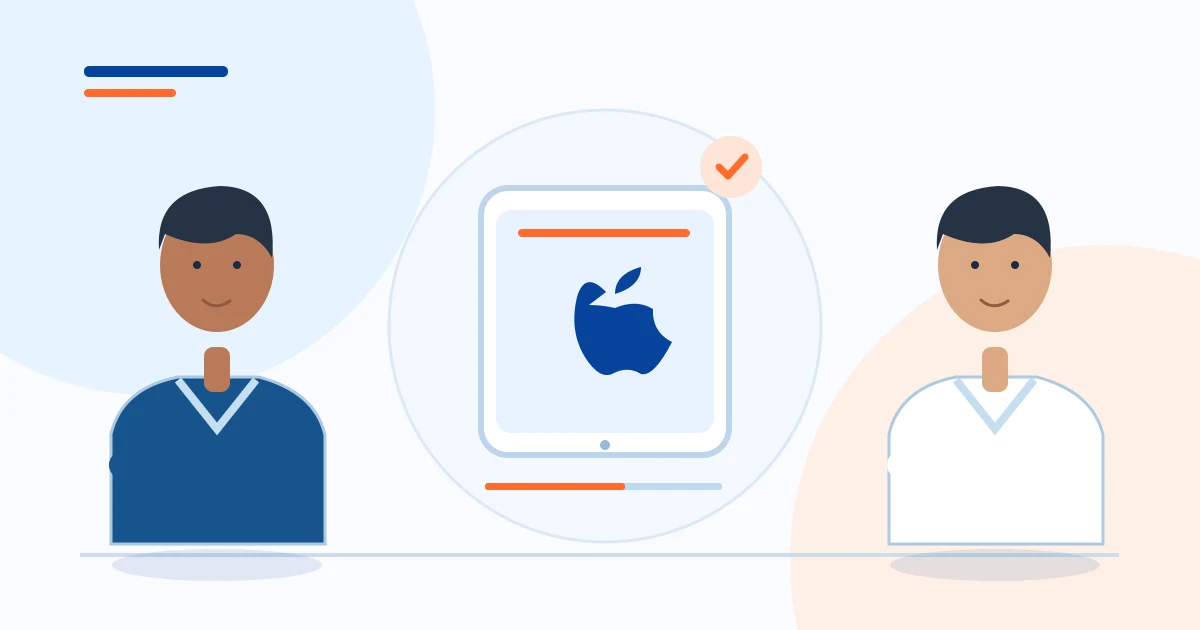
An iPad-compatible web platform is not the same thing as a native iPad app. Confirm the experience and offline limits before choosing.
- Confirm a current browser/iPadOS environment
- Verify PDF/PPTX import and visual clarity on your own deck
- Test touch, zoom, rotation and orientation
First question: native iPad app, browser platform or Android-only?
A native iPad app is developed for iPadOS and distributed through an appropriate installation channel. It may use device storage and native APIs, but you still need to confirm the application's actual offline and security features.
A web-based platform opens in Safari using a URL and login, and its features depend on browser support, network and the way offline storage has been built. An Android APK does not automatically install on an iPad.
Ask a vendor to show the exact iPad login, visual-aid import, page viewer and offline behaviour—not an Android video presented as evidence of iPad compatibility.
What makes an iPad good for scientific detailing?
A sharp screen is helpful when a visual aid contains composition tables, journal references or product mechanism diagrams. The approximately 11-inch format balances readability and travel convenience. iPad (A16) starts at 128 GB and is capable of everyday web browsing and presentations; the 11-inch iPad Air M4 offers a 2360 × 1640 display and a laminated, anti-reflective surface.
Neither removes the need for well-designed medical slides. Tiny PDF citations remain tiny regardless of the chip inside the device.
Test with the actual brand page and normal chamber lighting before committing.
Native app or browser platform?
Use this comparison when assessing Safari on an iPad
| What to ask | Native app | Browser-based app |
|---|---|---|
| Installation | An installed iPadOS or Android app, where a vendor provides one | Open a verified product URL in the browser |
| Updates | Usually handled by the app distribution process | Delivered through the website deployment |
| Offline viewing | Possible only if the particular native app implements it | Requires tested content caching or supported prepared downloads |
| Device access | Check authorised account, device, permissions and renewal requirements | Check browser compatibility, login sessions and storage behaviour |
| Doctors Detailing | No published native iPadOS app is verified | Current web-based product, specific offline limits apply |
A native app is not automatically offline. A web app may support specific offline functions, verify the exact workflow with the vendor
Best e-detailing app features to look for on iPad
A useful detailing workspace should open the correct brand quickly, organise approved pages by product, show a clean full-screen view, support touch navigation and zoom, and allow the representative to jump to relevant evidence without scrolling through every slide. Managers should be able to control which material the team uses.
If the company also needs day planning or commercial order booking, check those modules separately. Attractive animations are secondary to controlled content, page readability and reliable field operation.
How Doctors Detailing fits into an iPad evaluation
Doctors Detailing is currently a web-based pharma e-detailing and field-operation platform, not a published native iPadOS app. Its product capabilities include approved digital visual aids, page selection, presentation viewer, chemist POB booking, call planning and relevant company-controlled tools.
The practical route on an iPad is to open the authorised web login in a current supported browser, then test each required function. We have not published a model-by-model iPad compatibility certification and do not claim a dedicated App Store download or complete iPad offline cold-start support.
Putting a web-based detailing shortcut on the iPad Home Screen
Apple documents a Safari option to add a website icon to an iPad Home Screen. Open Safari, visit the verified Doctors Detailing login URL, sign in, then use Safari's Share menu and Add to Home Screen if the option is available.
Depending on iPadOS and the site, an 'Open as Web App' choice may be offered. A Home Screen icon is convenient, but installing that shortcut is not equivalent to installing a fully native offline application.
Your administrator should verify sign-in persistence and session behaviour according to company policy.
Offline calls and device storage: avoid assumptions
Before travelling to a clinic with poor coverage, prepare the approved pages according to the software's download/unlock instructions. In Safari, browser storage behaviour and clearing of website data can affect locally prepared content.
Run a controlled airplane-mode test and reopen the previously prepared page while the app is in its supported state. Do not assume your iPad will cold-launch every function offline after a reboot.
Check how pending field data resumes when connected and whether content must be refreshed after a version change.
Which iPad should a pharma field team consider?
For basic visual aids, web forms and occasional video meetings, the iPad (A16) is a reasonable starting point; buying an expensive Pro model is not necessary solely to display PDFs. Consider iPad Air M4 when the same person edits more complex content, works with several apps or needs its display/accessory features. iPad mini is easier to carry but its smaller screen is less comfortable for showing detailed medical figures to a second person.
Wi-Fi + Cellular may reduce hotspot dependence; always check the price and whether your carrier supports the required data arrangement.
A five-part iPad demo test before subscription
Ask to see the actual service on the same iPad model your MRs use. Open and rotate a typical product slide, zoom into the citation, select a subset of pages, try a sample price-list lookup, and exercise the relevant POB and planning screens.
Test session recovery, loss of connectivity and supported offline preparation. Check whether the administrator can remove a departed MR's access.
If a vendor says 'best e-detailing app for iPad', ask which real customer workflow justifies that description rather than relying on a slogan.
- Confirm a current browser/iPadOS environment
- Verify PDF/PPTX import and visual clarity on your own deck
- Test touch, zoom, rotation and orientation
- Check permitted offline workflow rather than assuming native offline
- Confirm user roles, content approval and support terms
The practical decision for pharma buyers
The best iPad e-detailing app is the one that works on your actual iPad and allows a trained MR to use approved information quickly and responsibly. If you need guaranteed native installation or independent offline cold start, make that a hard requirement during procurement.
If a browser-based workflow and the available field tools meet your needs, Doctors Detailing is worth evaluating in a live demonstration—but only after testing the exact device and modules you plan to buy.
An iPad-compatible web platform is not the same thing as a native iPad app. Confirm the experience and offline limits before choosing.
Sources and official specifications
These reference links support the product specifications and device information in this guide. Confirm availability and current configurations with manufacturers before purchasing.

Pharmadigi — grounded in pharma field experience
Doctors Detailing is developed for pharma field workflows under the direction of Sandeep Kumar Soni, Pharma Business Consultant & Trainer. The field guides are prepared by the Pharmadigi editorial team and should be reviewed against your company policy before use.
Learn about Doctors Detailing →